Uncertain waiting
Patients may have little visibility into their current queue position.
Multi-Tenant Clinic Queue Management System
Simplify patient token issuance, manage waiting queues and keep patients informed — all through one connected system.
Designed for clinics that want a more organised patient queue.
The everyday challenge
Manual queue handling can leave patients uncertain about their turn and make it harder for clinic staff to keep the waiting process organised.
Patients may have little visibility into their current queue position.
Staff need a consistent way to issue tokens and manage patient turns.
Patients and attendants need a clear view of the current queue status.
The solution
Give patients a way to obtain tokens and check their queue status, while attendants manage the flow from a dedicated interface.
Explore the systemProduct capabilities
Practical tools for patients and clinic staff, organised around the daily token and queue process.
Patients can obtain their queue token through the clinic webpage.
Patients can scan the clinic QR code to access token issuance.
Patients can check their token, see how many patients are ahead, and follow queue progress.
Staff can start, pause, resume and finish the clinic queue.
Display queue information to help patients follow the current turn.
Configure the daily time intervals when online tokens are available.
How it works
Patients access their tokens, attendants manage the queue, and the waiting-room display keeps queue information visible.
Patients use the clinic webpage or QR code to obtain a token and check their queue status.
Attendants manage patient turns and control the queue from their interface.
The waiting-room display presents the current queue information to patients.
Inside the product
Actual screenshots from the Multi-Tenant Clinic Queue Management System, showing the patient and attendant experiences.
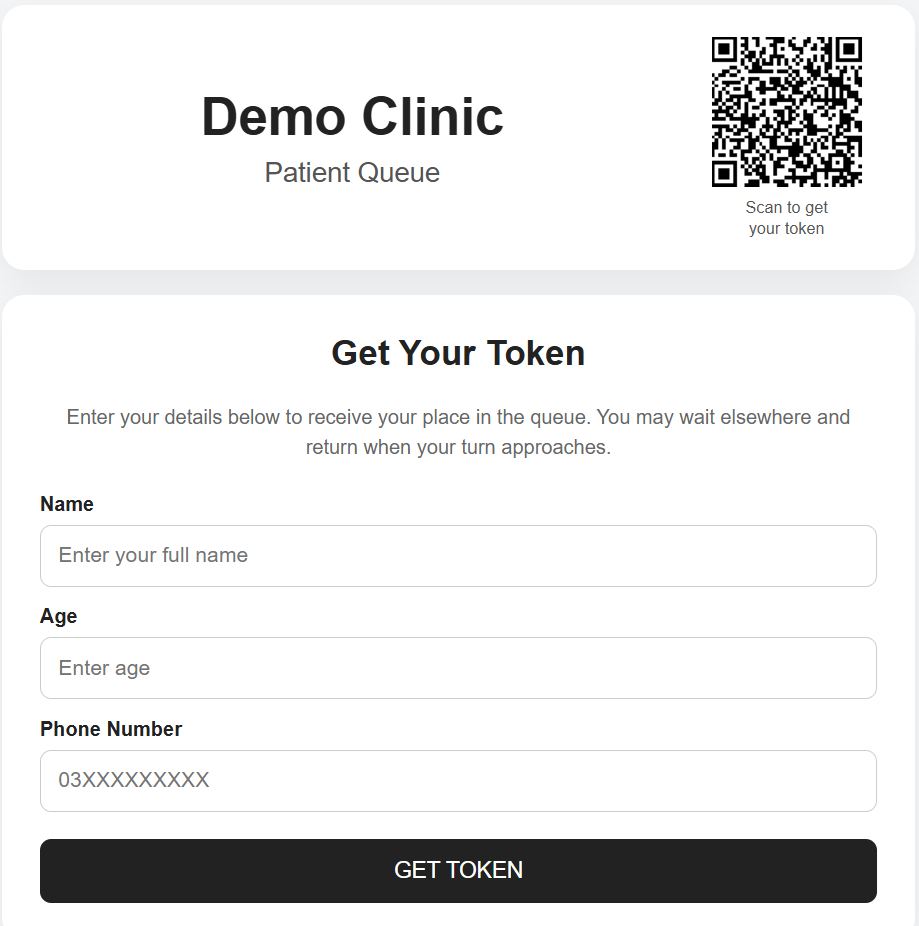
Patients can access the clinic token form online or through the QR code.
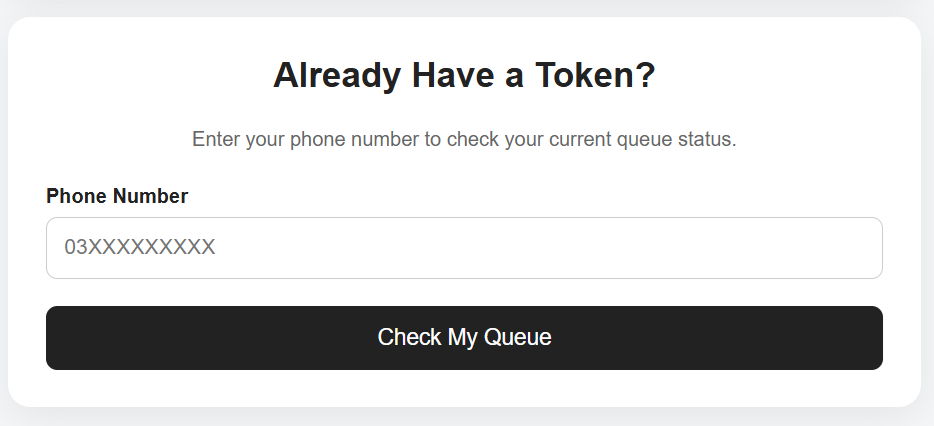
Patients can check their token and current queue position.
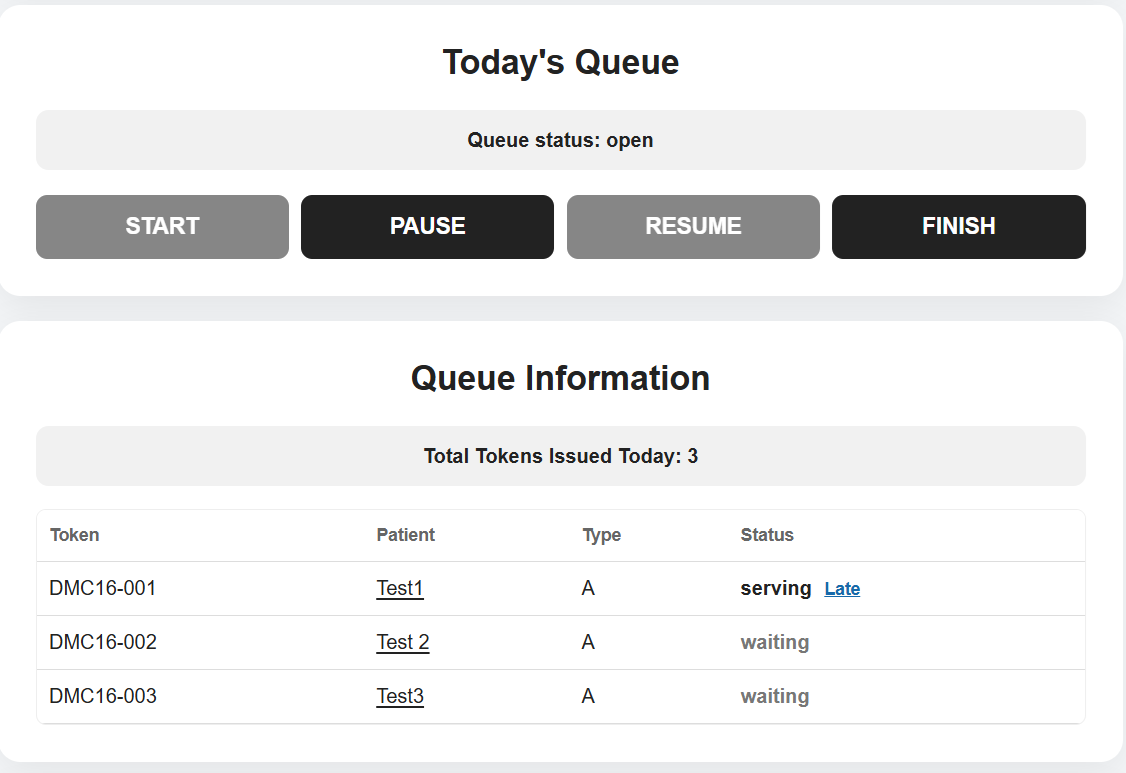
Attendants can monitor tokens and manage queue operations.
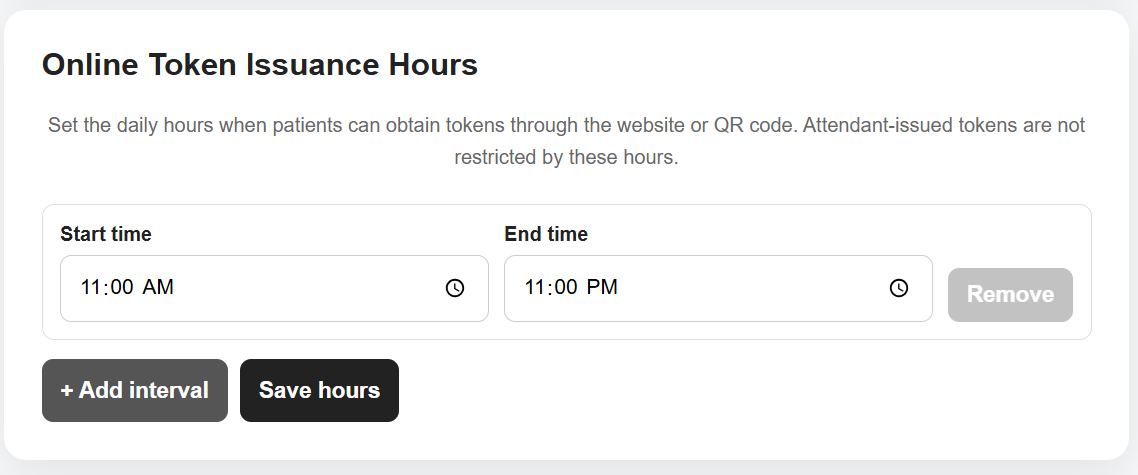
Set the daily intervals during which patients can obtain online tokens.
Built by Automation Labs
Automation Labs develops automation, data systems and purpose-built software designed around practical operational needs.
Explore Automation LabsFrequently asked questions
A few details about how the clinic queue management system works.
It helps clinics issue patient tokens, manage waiting queues, and provide patients with queue status information.
Yes. Patients can obtain tokens through the clinic webpage or by scanning its QR code, subject to configured online token issuance hours.
Yes. Patients can enter their phone number to check their token and current queue status.
Yes. The attendant interface provides controls to start, pause, resume and finish the queue, and to manage patient turns.
Yes. The product is designed as a multi-tenant clinic queue management system, with separate clinic access.
Submit the demo request form below and the Automation Labs team can follow up with you.
Request a demonstration
Share a few details about your clinic. The Automation Labs team will get in touch to discuss a demonstration.